


If you print regularly from a home office, the cost of replacement ink can quietly become one of your biggest operating expenses. The HP 64XL black cartridge is designed for exactly this situation: frequent documents, fewer cartridge swaps, and a lower cost per page than the standard version. But high-yield isn’t automatically the right choice for everyone. This article breaks down the real differences between the HP 64XL and the standard HP 64, explains who actually saves money, and helps you decide which cartridge fits your printing habits.
Key Takeaways
- The HP 64XL holds more ink than the standard HP 64, so it prints more pages before you need to replace it.
- High-yield cartridges typically cost more upfront but less per page, which matters most if you print often.
- If you print only occasionally, the standard cartridge can be the more sensible buy because the ink won’t sit unused for long.
- Your actual savings depend on your print volume, whether you print mostly black text, and how often the cartridge dries out or gets replaced.
- Buying genuine HP 64XL cartridges helps avoid the reliability and print-quality issues that sometimes come with third-party alternatives.
What’s the Real Difference Between the HP 64XL and Standard Yield?
The core difference is ink capacity, and everything else flows from that. The HP 64XL is the high-yield version of the standard HP 64 black cartridge. It contains more ink, which means it produces more printed pages before it runs out. Because of that larger ink load, it usually costs more at checkout.
That price gap is the entire trade-off. You pay more once, but you replace the cartridge less often. When you compare the HP 64XL vs standard yield options directly, the question isn’t which cartridge is “better” in a vacuum — it’s which one matches how much you actually print.
A practical way to think about it: the standard cartridge is built for light, occasional printing. The XL version is built for steady, routine printing. Choosing the wrong one for your habits is where money gets wasted, either by overpaying upfront or by replacing cartridges constantly.
Why Page Counts Matter More Than Cartridge Price
Most people compare cartridges by sticker price, but the number that actually affects your budget is cost per page. A cartridge that costs more but prints considerably more pages can be cheaper in the long run. That’s the logic behind high-yield ink in general.
Keep in mind that manufacturer page estimates are based on standardized test conditions — usually a set percentage of page coverage. Real-world results vary. If you print dense documents, full-page images, or bold graphics, you’ll get fewer pages than the estimate. If you print mostly short text documents, you may get closer to it or slightly more.
Who Should Buy the HP 64XL?
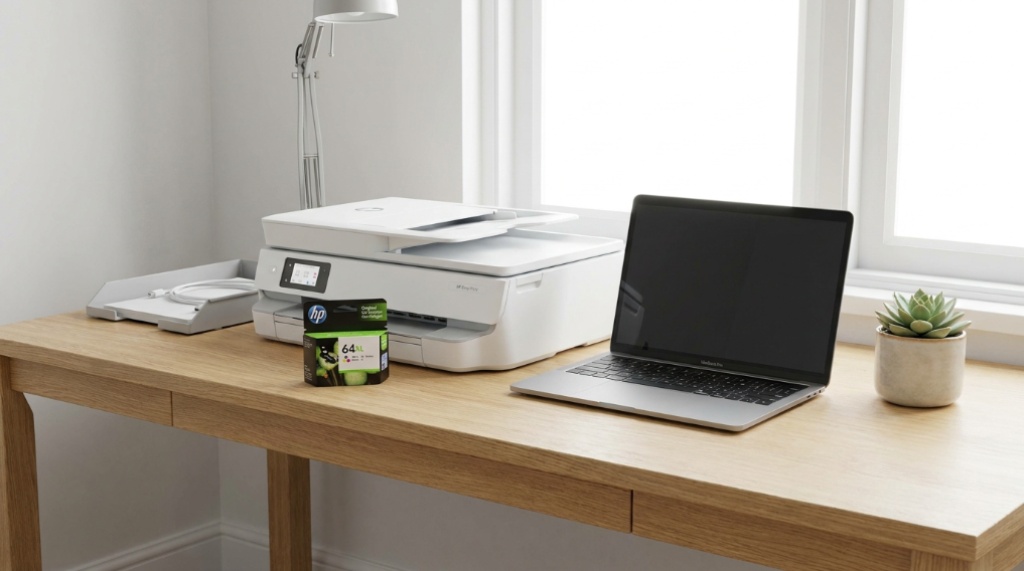
The HP 64XL is the better pick if you print with some regularity — think a few documents most days, or a steady stream of invoices, contracts, shipping labels, and reports. In that scenario, the lower cost per page adds up, and you spend less time swapping cartridges.
- Frequent printers: Daily or near-daily printing makes high-yield cartridges cost-effective.
- Document-heavy workflows: Black text printing is where the XL cartridge delivers the most value.
- People who dislike interruptions: Fewer replacements mean fewer mid-task stoppages.
- Small offices with predictable volume: Consistent usage makes it easier to justify the larger upfront cost.
Home offices that run on paperwork — invoices, client documents, tax files — tend to benefit most, because their printing is steady rather than occasional.
When the Standard Yield Cartridge Makes More Sense
Here’s the part many buying guides skip: high-yield isn’t automatically cheaper for you. If you print rarely, a bigger cartridge can actually work against you.
Inkjet ink can dry out or degrade over time, especially if a cartridge sits unused for months. If you print a handful of pages every few weeks, a high-yield cartridge might still have plenty of ink when print quality starts to suffer or the cartridge needs replacing anyway. In that case, you paid extra for ink you never fully used.
Signs the standard cartridge is the smarter buy:
- You print less than a few pages a week.
- Your printer sits idle for long stretches.
- You mainly print the occasional form, ticket, or confirmation.
- You’d rather keep upfront costs low than optimize cost per page.
The honest rule: match the cartridge to your printing rhythm, not to the marketing label.
Cost Per Page: The Number That Actually Decides It
To figure out which cartridge saves you money, work out your cost per page for each option. The math is simple:
- Find the price of the cartridge.
- Find its estimated page yield.
- Divide price by page yield.
Do this for both the standard and XL versions. Whichever gives you the lower result is the cheaper option per page — assuming you’ll actually use enough pages to reach that yield before the cartridge degrades or you switch printers.
A quick comparison of how the two generally differ:
| Factor | Standard HP 64 | HP 64XL (High Yield) |
|---|---|---|
| Ink capacity | Lower | Higher |
| Upfront cost | Lower | Higher |
| Cost per page | Higher | Typically lower |
| Best for | Light, occasional printing | Regular, frequent printing |
| Replacement frequency | More often | Less often |
Exact prices and page yields vary by retailer and region, so verify the current figures for your specific cartridge before doing the math. The structure of the comparison stays the same even when the numbers change.
Genuine vs Third-Party: What Actually Affects Your Savings
You’ll often find third-party or remanufactured cartridges priced well below genuine HP 64XL cartridges. The temptation is understandable, especially in a home office where every cost counts. But there are real trade-offs to weigh.
Genuine cartridges are manufactured to the printer’s specifications, which generally means more predictable page yields, fewer compatibility issues, and more consistent print quality. Third-party cartridges can work well and save money, but quality varies widely between suppliers, and some printers reject or underperform with non-genuine chips.
If you depend on your printer for client-facing documents, invoices, or anything where print quality and reliability matter, the money saved on a cheap cartridge can be offset by reprints, troubleshooting, or a failed print job at the wrong moment. For everyday internal drafts, a third-party cartridge may be a reasonable compromise.
How to Get the Most Out of an HP 64XL Cartridge
Buying the right cartridge is only half the equation. How you use and store it affects how far it actually goes.
- Print something regularly. Printing a page or two every week or so helps keep the printhead from drying out.
- Use the correct print mode. Draft or economy mode uses less ink for documents where top quality isn’t essential.
- Store spares properly. Keep unused cartridges sealed and at room temperature, away from direct sunlight and heat.
- Let the printer run its maintenance cycle. Automatic cleaning routines help prevent clogs, even if they use a small amount of ink.
- Turn the printer off properly. Using the power button lets the printer park the printhead correctly, which protects the cartridge.
These habits matter more with inkjet printers than most people realize. A cartridge that dries out before it’s empty wastes money regardless of whether it was standard or high-yield.
Common Mistakes When Choosing Between the Two
A few avoidable errors send home office users toward the wrong cartridge:
- Buying XL purely because it’s labeled “better.” If you print rarely, the standard cartridge may be the wiser purchase.
- Ignoring cost per page. Comparing only the sticker price hides the real long-term cost.
- Bulk-buying cartridges you won’t use in time. Stockpiling high-yield cartridges sounds efficient, but ink can degrade before you get to them.
- Assuming all printers handle XL the same way. Compatibility and chip behavior can vary by model, so confirm your printer supports the XL cartridge.
Avoiding these mistakes keeps your per-page costs genuinely low instead of just feeling low, if you are also upgrading your workspace ergonomics for better productivity, check our guide on what is a three-stage lift standing desk.
Frequently Asked Questions
How many more pages does the HP 64XL print compared to the standard HP 64?
The XL version is designed to print significantly more pages than the standard cartridge because it holds more ink. The exact difference depends on the page yield figures for each cartridge and your actual print coverage, so check the current yield estimates for accurate numbers.
Is the HP 64XL cheaper per page than the standard yield?
Usually yes. Because the extra ink is spread across more pages, the cost per page tends to be lower with the XL cartridge. That advantage only pays off if you actually print enough pages to use the additional ink before the cartridge ages or dries out.
Can I use the HP 64XL if I only print occasionally?
You can, but it often doesn’t make financial sense. If your printing is light and irregular, the ink may sit unused long enough to dry out or degrade. In that case, the standard cartridge is usually the more practical choice.
Do genuine HP 64XL cartridges last longer than third-party ones?
Genuine cartridges generally offer more predictable page yields and consistent print quality. Third-party options can save money but vary in reliability. The right choice depends on how much you value consistency versus upfront savings.
What happens if I don’t print for a long time with an ink cartridge installed?
Inkjet cartridges can dry out or clog when left unused for extended periods. Printing a small amount regularly, or letting the printer run its maintenance cycle, helps prevent this and protects both the cartridge and the printhead.
Does the HP 64XL fit every printer that uses the standard HP 64?
Not necessarily. Printer models vary in which cartridges they accept, so confirm your specific printer supports the HP 64XL before buying. Compatibility details are usually listed in your printer’s documentation or the cartridge listing.
Conclusion
For a busy home office, the HP 64XL is usually the better buy. It costs more upfront, but the lower cost per page and fewer replacements make it the more economical choice when you print regularly. The catch is that this only holds true if your printing volume justifies the larger cartridge. If you print rarely, the standard HP 64 is the smarter, cheaper option because you won’t waste ink you never got around to using. Work out your cost per page, match the cartridge to your actual habits, and you’ll save money without overbuying.
